What Is Gemma 4? A Simple Guide to Google’s Offline AI
In April 2026, Google dropped Gemma 4, a family of open-weight models that process text, vision, and audio entirely on your local machine. No API costs. No internet required. Complete privacy.
Here is exactly what it is, which version you need, and the step-by-step system to install it on your PC or mobile device today.
What is Gemma 4?
Gemma 4 is Google’s most capable open-source model family to date, built on the same research as Gemini 3.
Why it matters for your content system:
Native Multimodal: It natively understands images and audio. You can drop a screenshot of a viral hook or an audio recording of a brain dump directly into it.
Massive Context: Up to a 256K token context window. You can feed it entire books or your entire backlog of YouTube transcripts in one prompt.
Zero Latency: It runs on your hardware.
The Model Lineup (Which one do you actually need?)
Don’t just download the biggest model and crash your computer. Match the model to your hardware.
FOR MOBILE: Gemma 4 E2B (2.3B) & E4B (4.5B)
Specs: Lightning fast, handles basic reasoning and mobile workflows. E4B is the sweet spot for modern smartphones.
FOR PC/MAC (Recommended): Gemma 4 26B A4B (Mixture-of-Experts)
Specs: My top recommendation for desktop users (M1/M2 MacBooks, 16GB+ RAM PCs). It gives you heavy-weight reasoning at light-weight speeds because it only uses 4B parameters at a time.
FOR SERVERS: Gemma 4 31B (Dense)
Specs: High-end workstations only. Overkill for daily creator tasks.
System 1: How to Install Gemma 4 on PC/Mac
Downlaod LM studio from your browser
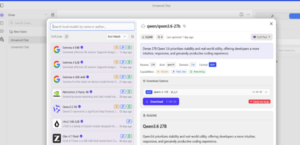
Step 1: Go to LMStudio.ai and download the app for your OS (Mac, Windows, or Linux). Install it like a normal app. Step 2: Open LM Studio. In the main search bar at the top, type “Gemma 4 26b” (if you have a good computer) or “Gemma 4 4b” (if you have an older laptop).
Step 3: You’ll see a list of files on the right side. and click Download.
Step 4: Once downloaded, click the Chat icon (the speech bubble) on the left sidebar.
Step 5: At the top of the chat window, click the dropdown menu to select the Gemma 4 model you just downloaded.
Start typing. You now have a frontier AI running entirely offline on your machine.
System 2: How to Install Gemma 4 on Mobile
You can run Gemma 4 entirely on your phone using the Google AI Edge Gallery.
Step 1: download GOOGLE AI EDGE GALLERY from play store.
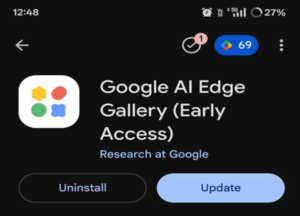
Step 3: Open the app and grant storage permissions so it can save the model files locally.
Step 4: Tap AI Chat -> Get Models. Step 5: Download or GEMMA 4 E4B (4.5B)
My suggestion is to go with Gemma 4 E2B (2.3B) as it is lighter on your device
Wait for the download to finish, select the model, and start chatting.
You can now analyze photos, summarize text, and generate content ideas on an airplane with zero cell service.
If you want to know more about our blogs, feel free to connect with our LinkedIn page.
Recent Posts
Detailed SEO Extension: A Quick Way to Check On-Page SEO
SEO professionals, digital marketers, and website owners often need to check important on-page SEO elements while browsing a ...
Google Business Profiles Tests Set Your Hours Automatically
Google is testing a new feature in Google Business Profiles that could make updating business hours much easier for business ...
What Is Meta Ads Data Advisor? A Complete Guide for Businesses
In today's digital marketing landscape, businesses need accurate advertising data to understand campaign performance, reach t...
The Role of AI in Modern Website Design and Development
AI is shaping the planning, design, development, and website management of businesses. But the impact of AI on website design...